
Inside the XPS 13’s sturdy shell you’ll find much the same silicon as in many competing 13-inch Ultrabooks, including a mid-range Haswell-class processor (specifically, a Core i5-4200U, with an integrated Intel HD Graphics 4400 GPU) and a128GB SSD. But this model comes with 8GB DDR3/1600 memory, instead of the more typical 4GB.
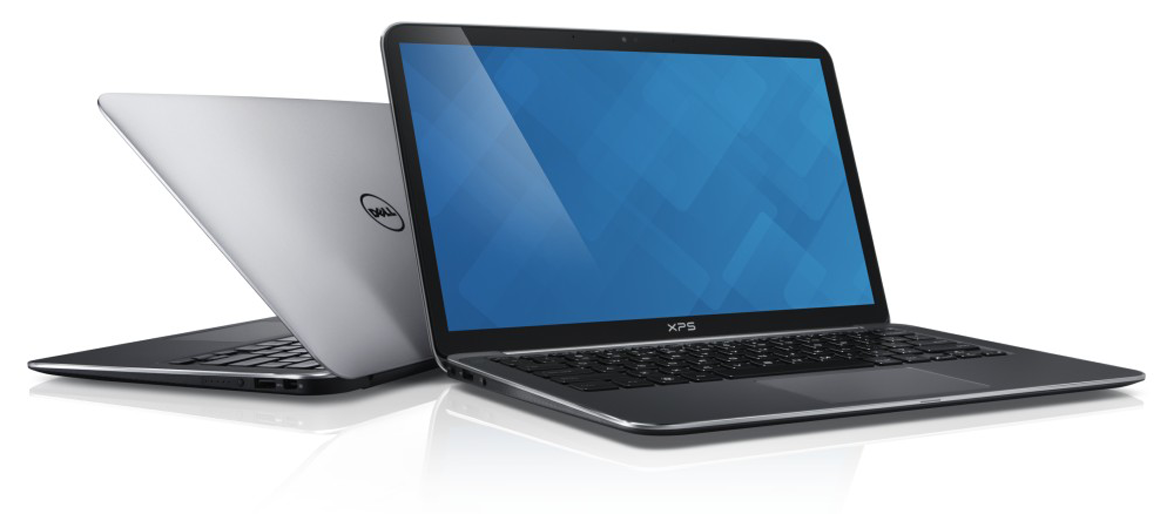
When I used apps optimized for touch, such as Word, Excel, and Internet Explorer, touch commands worked smooth as silk even for multi-touch gestures like pinch-zoom. Display graphics and text are lively and crisp and very readable even when I looked at the screen from wide angles, both from the sides and from the top.
The display does have one glaring downside: It’s very reflective. I was in a coffee shop one early morning, tapping away on the XPS 13, when the rising sun peeked over the rooftops behind me. The screen reflected so much light I could have used it as a mirror. I quickly changed seats.
Moving down to the island-style keyboard, I found a clean, spare layout in simple matte black trimmed in silver and gray. The backlit keys (with three brightness levels, including off) respond nimbly to the tap, provide adequate tactile feedback, and offer the right amount of friction—neither too slippery nor too tacky. That, plus the shallow dimple in the center of each key helps me land my fingertips on the keys I want, ultimately minimizing typos. Your office- and seat-mates, meanwhile, will appreciate keyboard’s soft muted clicks.
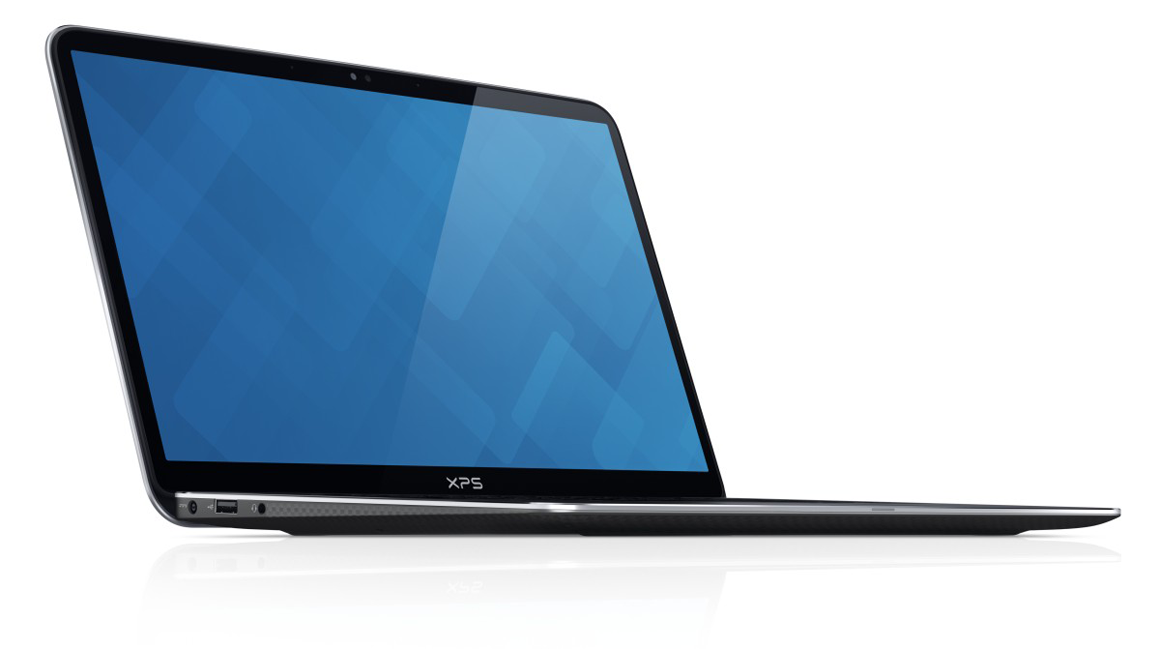
The XPS 13’s trackpad is very responsive, and it exhibits good palm rejection. I found the trackpad a little fiddly only when doing some multi-touch gestures, such as pinch-to-zoom.
Too few ports
Where does the XPS 13 let you down? You can’t add or attach much stuff to it. This laptop has just two USB 3.0 ports, and you get nada in the way of slots—not even an SD card slot.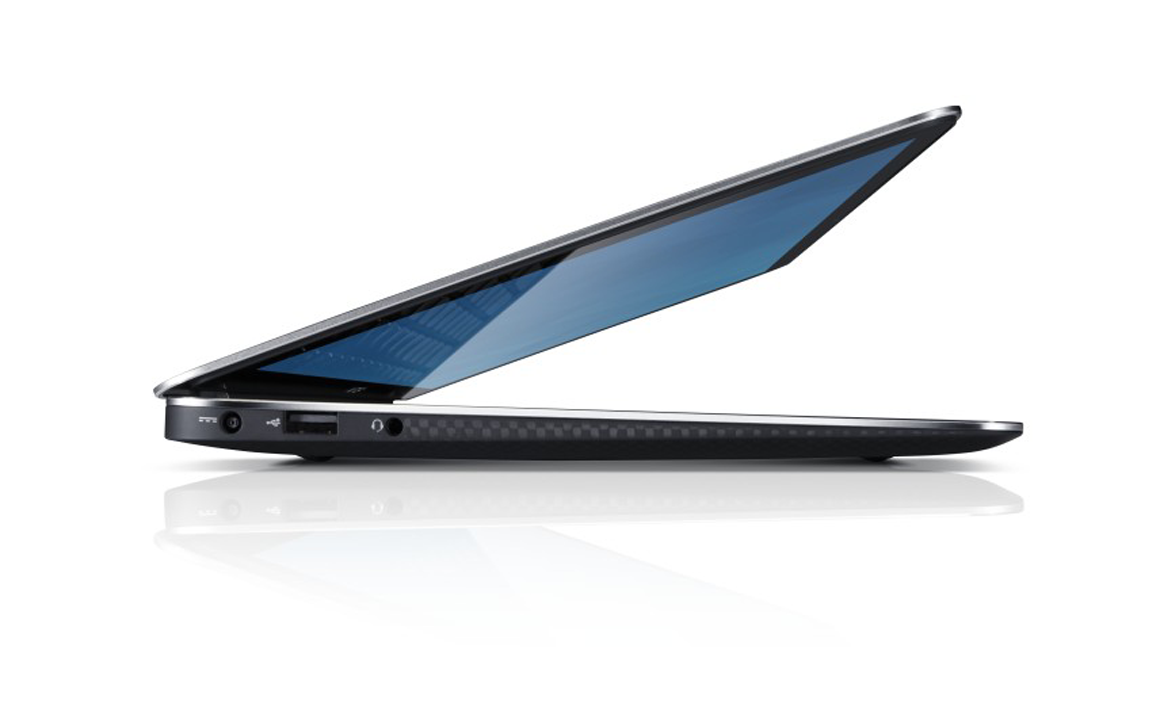
On the bright side, both USB ports are the always-on type that let you charge your smartphone or other battery-operated gadgets even when the laptop is otherwise powered down. I’m also happy to report that the XPS 13 is outfitted with Intel’s Wireless-AC 7260, a dual-band, 2x2 adapter that supports the 802.11ac networking standard and provides Bluetooth 4.0 connectivity.
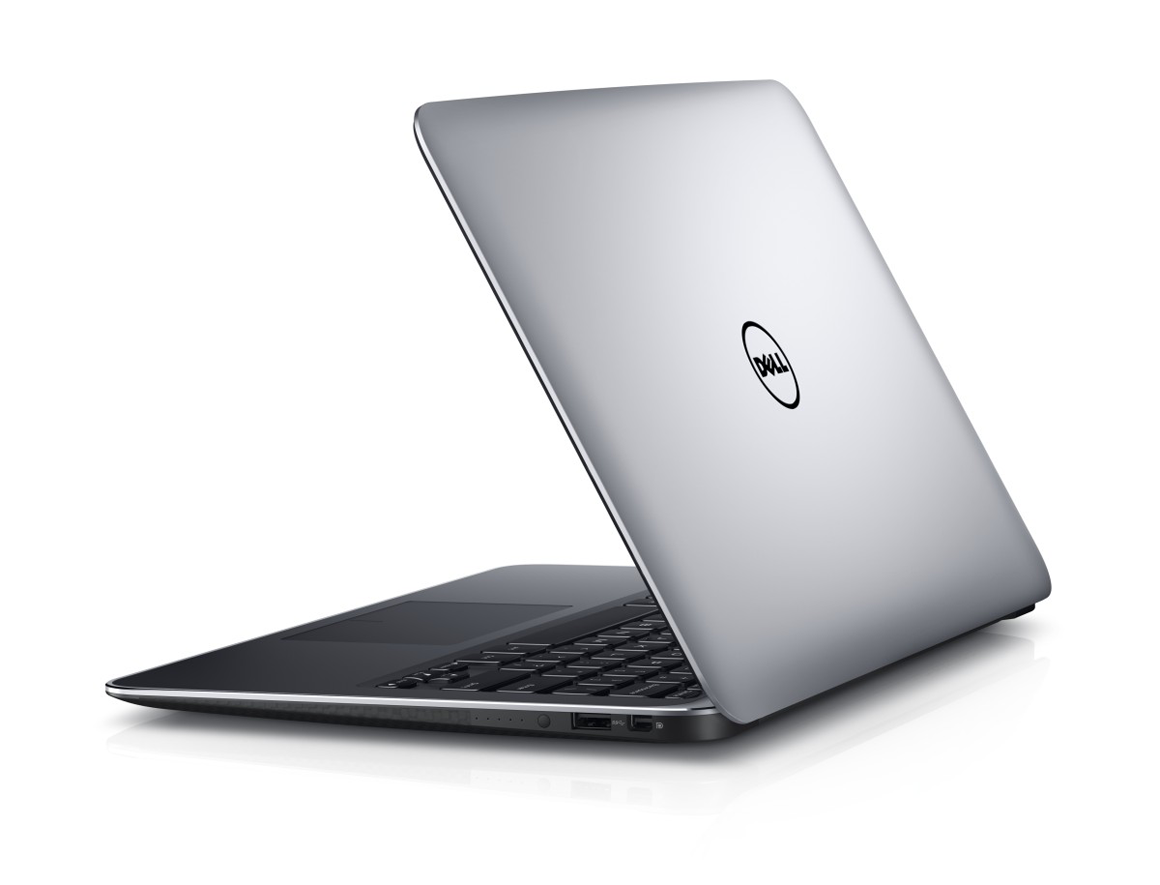
For such a small machine, the XPS 13’s speakers delivered remarkably full and rich sound that seemed to emanate from the entire keyboard deck. To get a sense of their dynamic range, I played the William Tell Overture, a widely ranging orchestral piece. In the Prelude, the soft low-register strings sounded surprisingly lush, and the rumble of the tympanis full and almost percussive. The audio experience starts to suffer as you move up the register. In the Storm and Pastorale sections (the latter we know from Bugs Bunny cartoons) the blaring horns and the counterpointing horn, flute, and triangle sound like they’re coming out of a can. You won’t mistake this Ultrabook for a Bose Wave Radio, but it sounds impressive for its size.
Performance
The system also works well for video chats and shooting selfies. The screen-mounted 1.3-megapixel webcam works better than many 2-megapixel models I’ve seen, delivering video with few under- and over-exposed areas, natural peach-pink color on face skin instead of the florid reds that some cheaper cams render, and the video plays smooth with few or no jaggy pixels even when displaying over the whole screen. The pair of embedded mics flanking the webcam record clear crisp speech from three feet away, though I had to crack up the volume to hear the playback.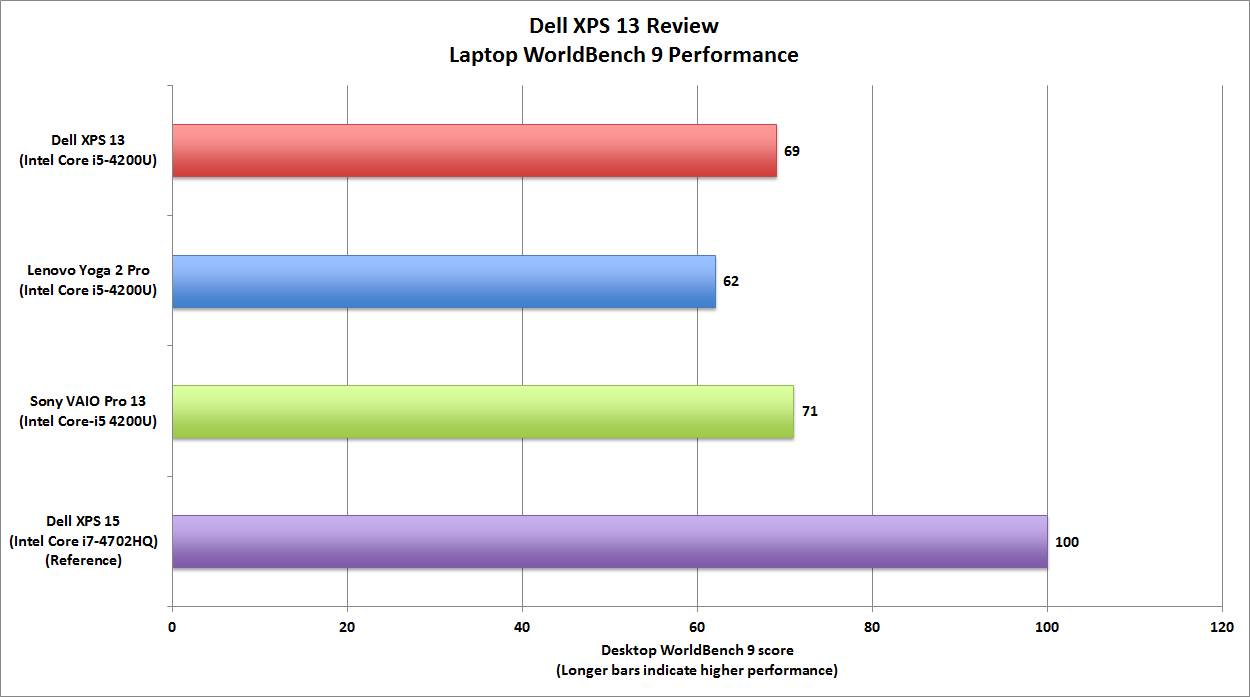
That’s a very good score: It’s better than the Lenovo Yoga 2 Pro’s score, and it’s on par with Sony’s VAIO Pro 13. The XPS 15 we’re using for reference packs a Core i7-4702HQ, a 512GB SSD, 16GB of DDR3/1600 memory, and a discrete GPU—and it costs a kilobuck more than the XPS 13.
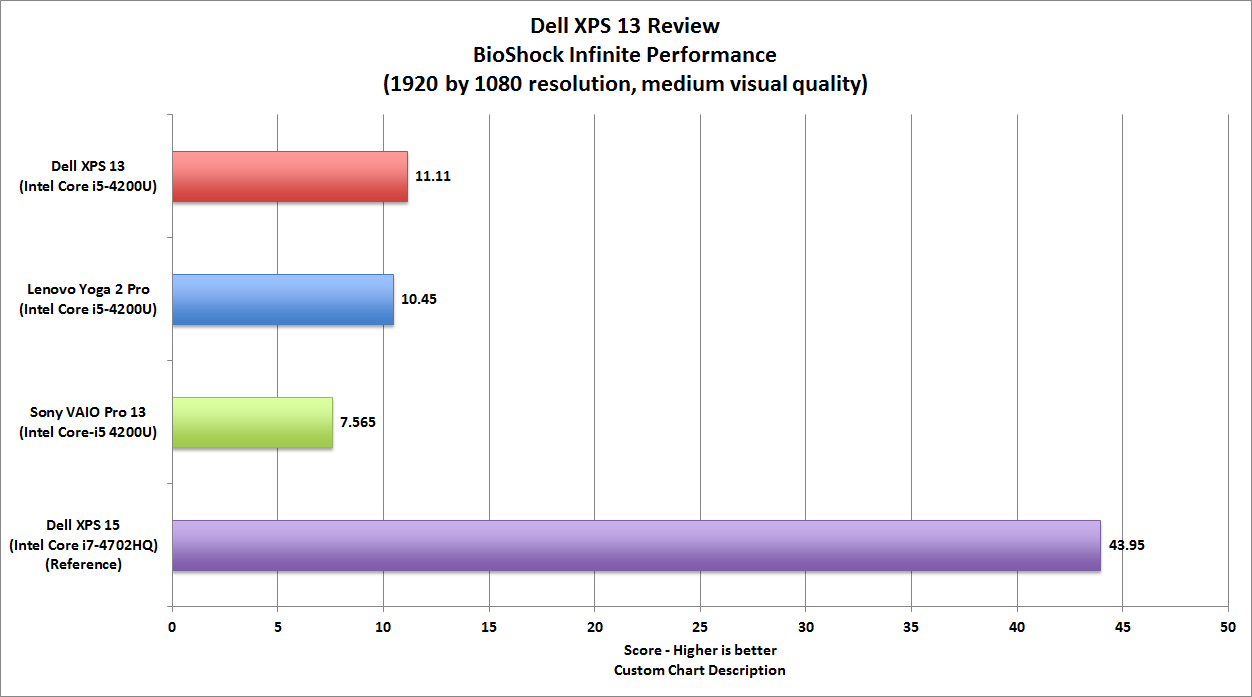
Gaming is another story. The XPS 13, which lacks a discrete graphics processor, falls far short in our Bioshock Infinite test. The reference XPS 15 machine, equipped with an Nvidia GeForce GT 750M, blitzed though the game with an ultra-smooth 44 frame per second (and that’s with the game’s resolution to 1920 by 1080 pixels with medium visual quality). The XPS 13 limped along at just 11 fps. If you want to play games, you’ll need to dial the resolution way down.
0 comments:
Post a Comment